Written by
 Table of contents
- Check your account status
- Check your payout method
- Add a payout method on Whop
- Come back to Gitpay
- Get paid
- Need help?
Identity, payout method, and schedule are set on Whop. Gitpay sends eligible earnings through that connected account. Before setup, check Whop’s supported payout countries. Payout eligibility depends on your country and completing Whop’s verification. Available destinations vary by country and may include a bank account, PayPal, or a crypto wallet. See Whop’s payout methods; your account shows the options actually available to you.
Check your account status
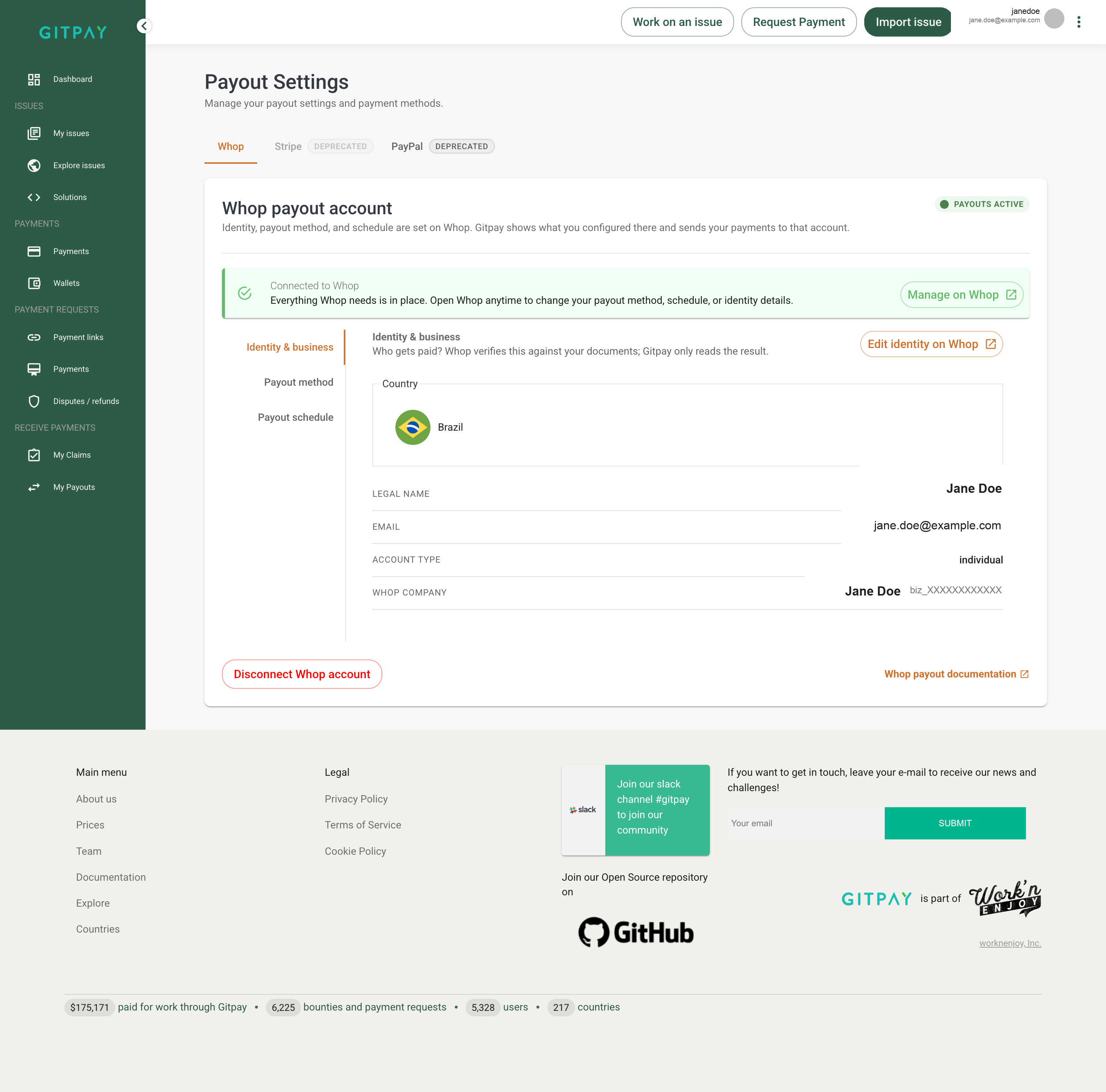
Go to Profile → Payout settings → Whop. Your Identity & business tab shows your connected Whop company:
Check your payout method
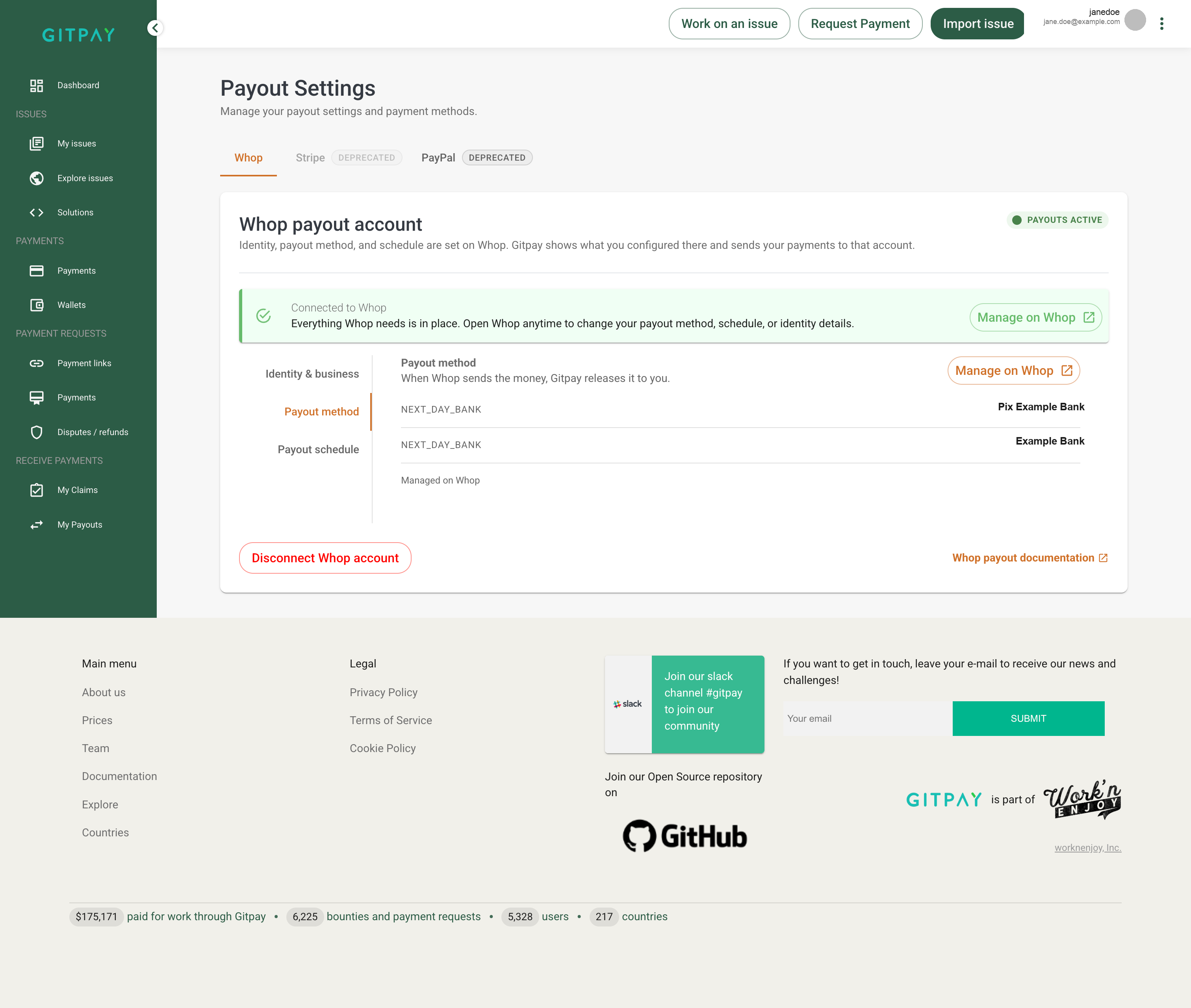
Open the Payout method tab. If you see an eligible method configured there, check that your identity verification and account status are complete:
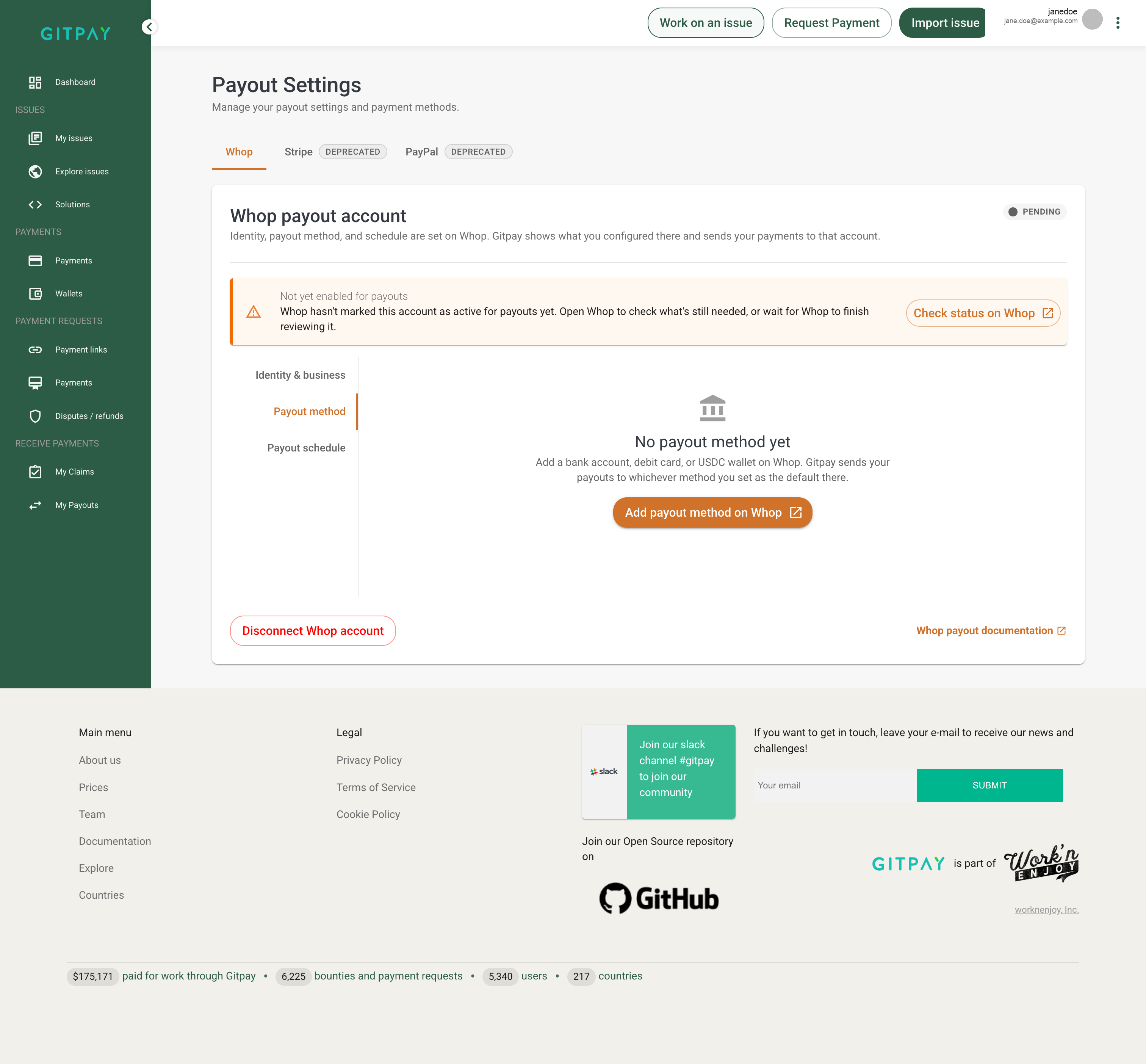
Otherwise, Gitpay will ask you to register one before payouts can go through:
Add a payout method on Whop
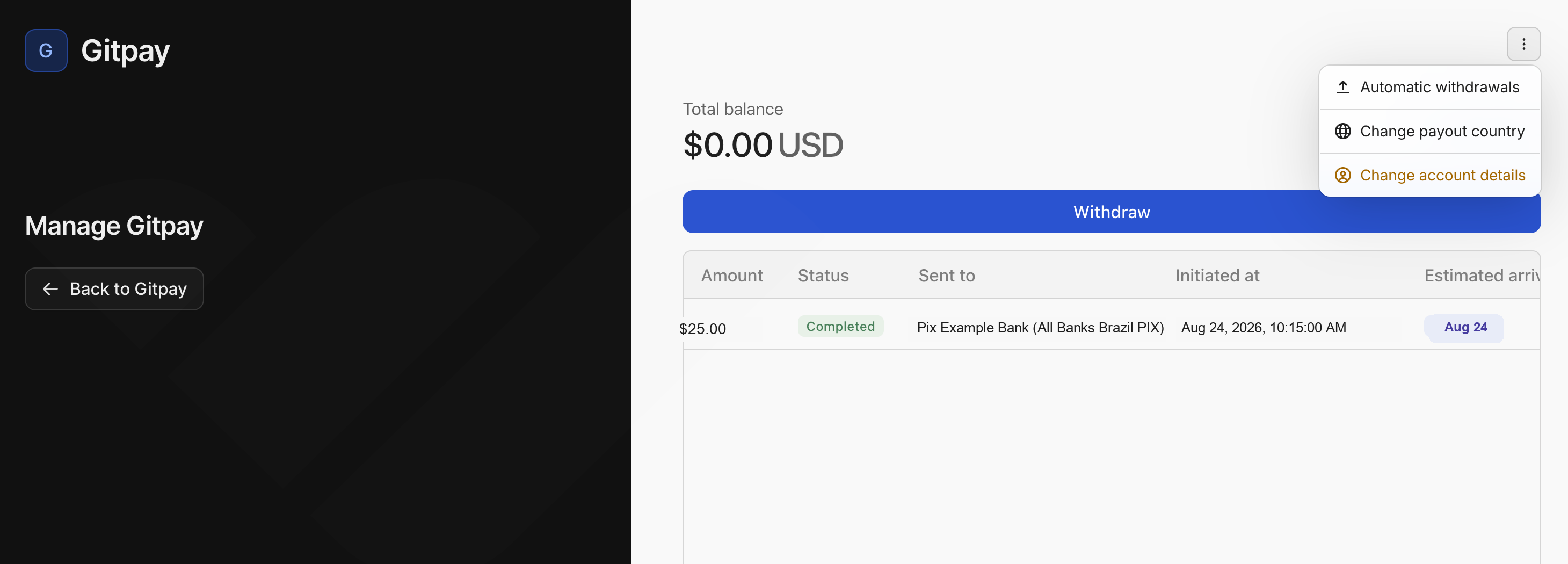
Click “Add payout method on Whop”. This opens Whop’s hosted account panel. From the menu in the top right, choose “Automatic withdrawals”:
Follow the steps Whop shows you and choose from the withdrawal methods available for your country. PayPal and crypto, where offered, are destinations managed in Whop rather than separate Gitpay payout providers.
Come back to Gitpay
Once you’re done on Whop, click “Back to Gitpay”. Your Whop payout account should now show as active, with your payout method listed.
Get paid
Create a payment request, or wait for a bounty payout, as you normally would. Funds are sent to your connected Whop account. Once a withdrawal completes, you’ll see it listed with its amount, status, and destination — like the completed payout shown above.
Need help?
See How our payment works for fee and timing details.