Find bounties
Browse funded issues, projects and organizations, and pick work that fits your skills.
Explore
Explore issues lists every public issue on Gitpay. Tabs switch between issues, projects and organizations.
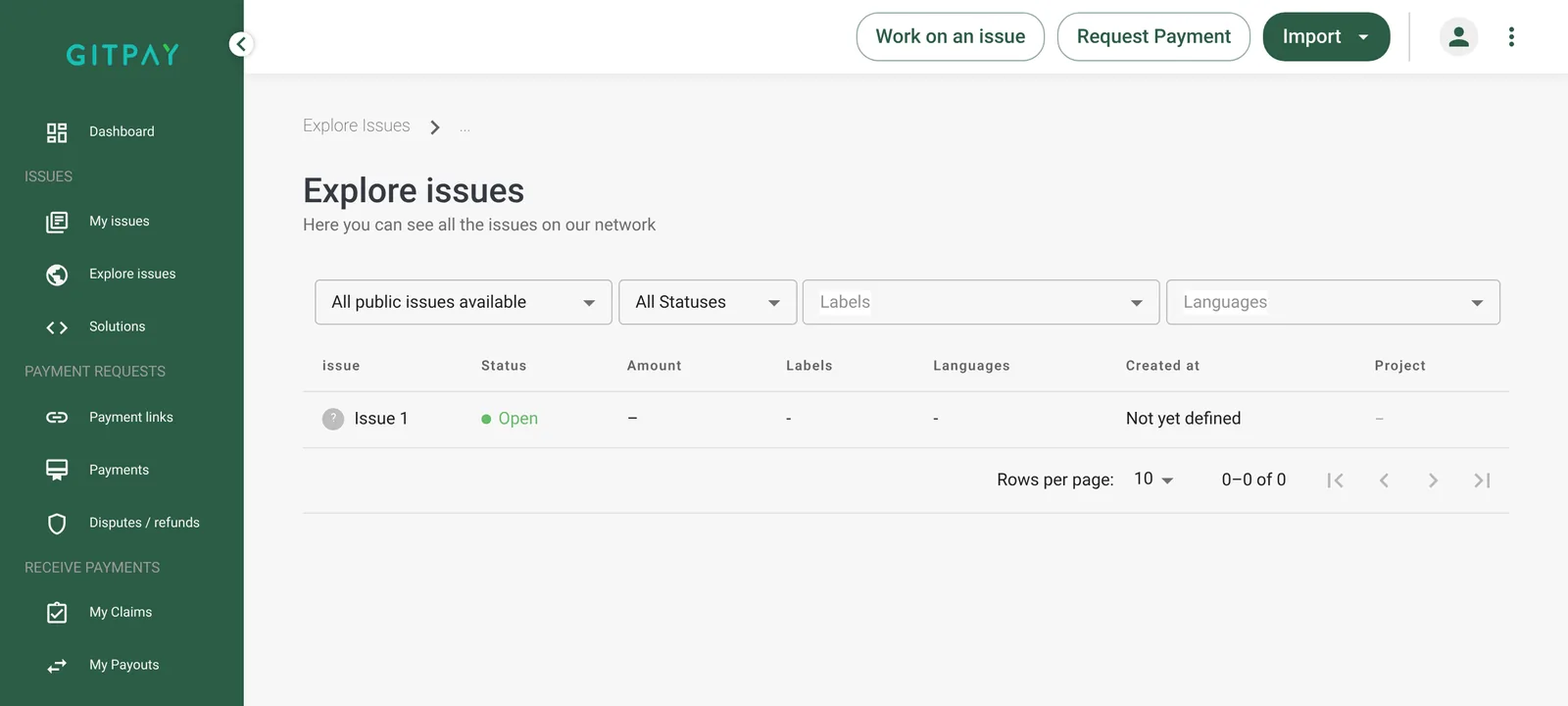
Filter by:
- Status, to see only Funded issues, with money already held;
- Labels, such as
good first issueorhelp wanted; - Languages, to match the languages you work in.
Read the issue page
Before you start, the issue page tells you what you need to know.
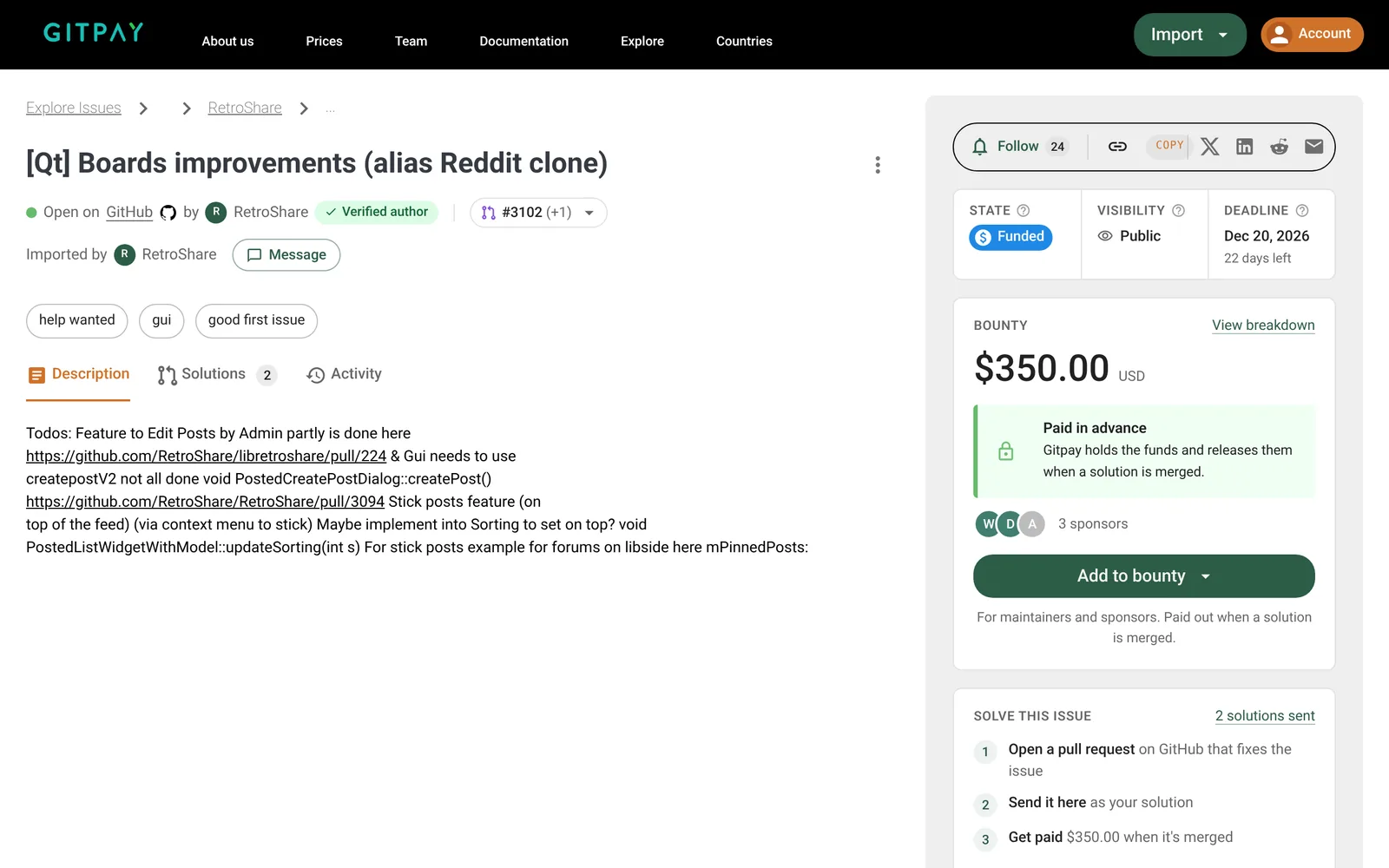
- State: look for Funded. Created means there’s no bounty yet.
- Bounty: the total and a breakdown per sponsor. Paid in advance is held by Gitpay; To pay later is a pledge, paid when a solution is accepted.
- Deadline: the date the owner needs a solution by, with the days left.
- Solutions: pull requests other contributors already sent. Check before you start.
- Solve this issue: the three steps: open a pull request, send it here, get paid.
| State | Meaning for you |
|---|---|
| Created | No bounty. You can still solve it and request payment from the maintainer. |
| Funded | Money is held for whoever solves it. |
| Claimed | A solution was accepted. |
| Completed | The bounty was paid. |
| Closed | No longer available. |
Weekly emails
Gitpay sends a weekly email with new bounties, so you don’t have to check every day. You can turn notifications off in your preferences.